A few years back, opening an Etsy shop basically cost you 20 cents. There was no setup fee, then a small cut when something sold, and that was pretty much it.
That’s not really the deal anymore.
The 20 cents is still there, but now it’s the smallest fee you’ll pay. And a lot of beginners still price their stuff like it’s the only one.

So yes, you can sell on Etsy as a total beginner, with handmade stuff or digital downloads, and you don’t need a website or any tech skills for it.
But you do need to know what Etsy actually takes from each sale before you set a single price.
I’m not saying this to scare you off. I’m saying it so you start with the real numbers.
So in this post, I’ll walk you through setting up your shop step by step, what it really costs in 2026, and what I’d sell first if I was starting from zero today.
Disclosure: This post has affiliate links. I earn a commission if you buy, at no extra cost to you.
So what is Etsy anyway, in simple words?
Etsy is an online marketplace, kind of like eBay, but for handmade stuff, vintage items, and craft supplies. (Vintage on Etsy means at least 20 years old, by the way. So yes, that old iPod Nano in your drawer technically counts now.)
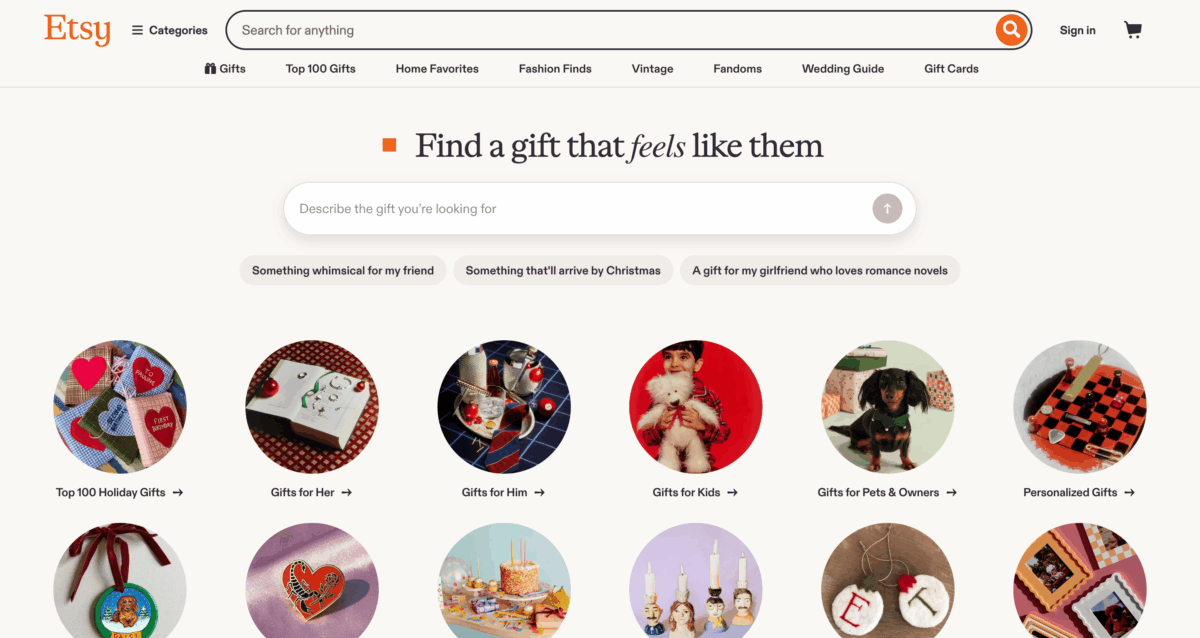
You’ll mostly see jewelry, home decor, art, paper goods, and wedding stuff. And then there’s another side of Etsy a lot of people don’t even notice at first: digital downloads.
Things like planners, printables, Canva templates, wall art files. Someone pays, grabs the file, done.
There’s no packing to be done, and no shipping.
That second part is why Etsy is still interesting in 2026.

Why sell on Etsy instead of your own website?
Picture this with me.
You make doormats in your garage. You could sell them at the farmers market on Saturdays, and some weeks that goes fine, but you only get the people who walk past your table that morning. That’s it.
The internet these days solves that part so well. But building your own store means a domain, hosting, a payment setup, product pages, and, well, most beginner sellers stall right there. I get it.
Etsy does all that skipping for you.
The buyers are already there, typing things like “personalized doormat” or “wedding planner printable” into the search bar, and Etsy handles the payments for you. You just show up with the product.
But on the other hand, the space you’re renting is in someone else’s mall.
Etsy sets the fees, Etsy controls search, and Etsy can change the rules whenever it wants. For a first shop, I still think that’s a fair deal.
Later on, maybe not so much.
What it actually costs to sell on Etsy in 2026
This is the most important part you should get right from day one. The money part. This is the part I’d look into more than once.
There’s no monthly fee on a standard Etsy shop. That part is true. But here’s what you’ll pay as a US seller, straight from Etsy’s fees and payments page:
- Shop setup fee: some new shops pay a one-time fee when they open. Etsy doesn’t list the amount, but sellers are reporting around $15 to $29. You’ll see it during setup if it applies to you.
- Listing fee: $0.20 per listing. It lasts four months or until it sells, then you pay again to renew.
- Transaction fee: 6.5% of the total, and yes, that includes what you charge for shipping.
- Payment processing: 3% + $0.25 per order.
- Offsite Ads: 15% on sales that come from Etsy’s ads on other sites like Google and Pinterest. You can opt out, until your shop passes $10,000 in sales in a year, then it’s required (but drops to 12%).
Let me show you with real numbers. Say you sell a print for $25 and charge $5 for shipping. That makes the order $30.
The transaction fee is $1.95.
Payment processing is $1.15. Plus the $0.20 listing fee.
So Etsy keeps about $3.30 (a bit more once sales tax gets added to the processing fee), and that’s before your materials, your packaging, and the actual shipping label.
And if that sale came through an Offsite Ad? Add another $4.50.
This is why I keep saying most beginners don’t have a pricing problem. They have a math problem.
They price at whatever feels fair, then the fees quietly eat a big chunk of the margin, and they can’t figure out why they’re busy but not making anything.
So do the math first. Then pick your price.
These are the fees as of when I’m writing this, and Etsy changes them every now and then, so check Etsy’s official fees page when you’re actually ready to open your shop.
Step 1: Figure out what you’re going to sell
If you already make something, you probably know your answer. Candles, earrings, crochet animals, whatever it is.
If you don’t, go look at Etsy’s best-selling items page. It’s a quick way to see what people are actually buying right now.
But you’re not trying to copy that exact list.
Thousands of other sellers are looking at the exact same page. So listing the 400th version of the same thing is a slow way to make zero sales. But you can use it to spot what people want, then find your own angle on it.
Maybe a smaller niche, or a specific style, or a specific type of buyer. Something.
If you want to sell digital products
This is the route I’d look at first if I had no money and no craft skills (which, for the craft part, is me).
You can make printables, planners, social media templates, and wedding signs in Canva for free, and sell them as digital downloads.
The usual way it works:
- Design your template in Canva.
- Get the template link (click Share and look for “Template link”).
- Put that link in a simple PDF, along with short instructions on how to open and edit it.
- On Etsy, create a new listing, set it as a digital download, and upload that PDF.
And when someone buys, Etsy sends them the PDF, they click the link, and Canva gives them their own copy to edit. You don’t have to do anything.
Sounds kind of easy and nice, right? But there’s an annoying part.
Canva has rules about this, and people get it wrong all the time.
If you want to create something you can sell, it needs to be your own original design. You can’t just sell Canva content by itself, and you can’t just take one of Canva’s ready-made templates and sell it as yours.
Read Canva’s licensing rules before you list anything. It takes five minutes and it can save your shop.
Step 2: Open your Etsy shop
Once you know what you’re selling, the setup itself is pretty quick. Maybe 30 minutes if you already have your photos and product info ready.
It would take longer if the shop name trips you up. Which, I mean, happens to everyone.
- Go to Etsy’s seller page and click “Get Started.” Sign in or create an account.
- Set your shop preferences: language, country, and currency.
- Pick a shop name and check if it’s available. You can change it later, so don’t spend a whole evening on it.
- Add your first listing: photos, title, description, category, price, quantity, physical or digital, and shipping.
- Tell Etsy where to send your money (your bank account).
- Add a card for billing, so Etsy can charge things like the setup fee and listing fees.
- Verify your identity if Etsy asks. New shops usually have to.
- Open your shop, then click Shop Manager to see your dashboard.
That’s it. You’re open.
And one thing I’d do before anything else is spend a few minutes in the Etsy Seller Handbook. It’s free, it’s written by Etsy, and it answers most of the “wait, how does this work” questions you’ll have in week one.
Is Etsy Plus worth it?
Etsy Plus is $10 a month. You get 15 listing credits, $5 in Etsy Ads credit, extra banner, custom color theme, and layout options for your shop page, and unlimited Marketplace Insights searches.
For a brand new shop with five listings, I’d skip it.
You’re paying for extras before you know if anyone even wants your stuff. Once you’re adding new listings every month, the credits cover most of the $10, and then it starts to make sense. Not before.
The easiest way to see if your idea can sell online.
Step 3: Get people to your listings
Opening the shop is the easy part. It really feels like you’re making some huge progress. But getting your first sale is the hardest part, and nobody really tells you that clearly.
And I’d also say, nobody can do that for you.
Etsy has its own search traffic, sure, but you’re up against sellers who’ve been there for years with hundreds of reviews.
So in the beginning, you kind of have to bring some of your own people.
Here’s what I’d try, roughly in this order:
- Pinterest. If you only pick one, pick this. People on Pinterest are literally planning purchases. You name it, weddings, gifts, home stuff. That’s Etsy’s whole crowd. Funny enough, most people reading this post came from Pinterest too.
- Etsy Ads. Start with a tiny daily budget, a dollar or two, and watch which listings get clicks.
- Social media. Instagram and TikTok work well for anything visual. You can make a few videos with your phone showing the making process, not just the finished thing.
- Small Instagram creators in your niche. Send them a free product and ask if they’d post it and mention your social media handle or product. Some say no, some never reply, a few will.
- A blog. Slow, not instant at all, but it’s the one that keeps sending people for years.
- Reviews from YouTubers or bloggers who cover your kind of product.
- Ads on related websites, once you know what actually sells.
Reviews will make or break your first few months
Like Amazon, Etsy buyers leave reviews, and new buyers read them. A shop with no reviews feels risky.
Even for you, it would be the same. A shop with at least three good ones all of a sudden feels safe.
So treat your first customers really well. Write clear descriptions so nobody’s surprised when the item shows up.
Answer every message fast. Ship when you said you’d ship.
And for digital products, make your instructions so simple that a tired person could follow them at 11pm on their phone.
That alone puts you ahead of a lot of shops. I know it doesn’t sound like much, but it’s a start.
One small hack: use your own domain
If you own a domain, you can forward it straight to your Etsy shop. So instead of telling people “go to etsy dot com slash shop slash something-something,” you just say yourname.com.
It also looks way more legit on your business cards, your packaging, and your Instagram bio.
And if you ever move to your own store later, you just point the domain somewhere else and every link you already shared keeps working.
So pick one product, run it through the fee math above, and list it this week.
The rest you can fix once it’s live.