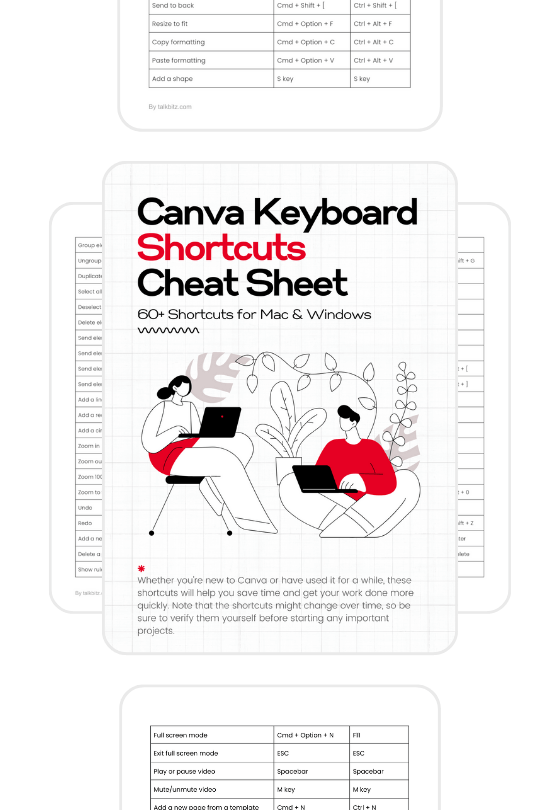
Canva has made design more accessible by offering user-friendly software that anyone can use.
And I have to say, it now has a lot of features and options, and most importantly, it has AI-powered tools to help you make your design process even easier.
However, you might still want to learn how to use it to level up your design game.
Well, I did the job for you.
In this blog post, we’ll explore the top 8 Canva courses for beginners, helping you unlock your creative potential and master this powerful design platform.
Let’s get started!

1. Canva Essentials
If you’re new to Canva, the Canva essentials course is the perfect starting point. This course, offered by Canva, walks you through the basics of the platform.

You’ll learn how to use and customize templates, edit elements and fonts, upload content, and share and collaborate on designs. These are the most basic things you can do in Canva.
With a total course time of just a few minutes, you can quickly learn and start designing with Canva.
This means that in a short amount of time, you will be able to learn the necessary skills and knowledge to use Canva for your design needs effectively.
Time commitment: 60 minutes
Price: Free
2. Graphic Design Essentials
If you want to learn graphic design, Canva’s Graphic Design Essentials course is a great place to start. This course has over 77,200 students and covers all the basics of graphic design.

You will learn everything from understanding the elements of design and design principles to using color theory and even how to make a mood board in Canva.
The course is flexible and can fit into your schedule, no matter how busy you are. It has 10 lessons, and each lesson is no longer than 10 minutes.
Time commitment: 53 minutes
Price: Free
3. Social Media Mastery
If you’re a business owner who wants to improve your social media game, Canva’s Social Media Mastery course is a great starting point.
This course, taught by experts, covers topics like how social media works, selecting platforms, using visuals to attract attention, and more.
The course explains these concepts in simple and easy-to-understand lessons.

One of the best parts of the course is how it focuses on the value of connection and community. The goal is to build a space where people interact with each other and with you. That’s what social media is all about, right?
With a variety of helpful tips and real-life examples, this course aims to provide you with the knowledge and skills necessary to levelup your brand’s visibility on various social media platforms.
Time commitment: 23 minutes
Price: Free
4. Canva Master Course
The Canva Master Course on Udemy is a good starting point for beginners who want to build a strong brand identity using Canva. This course, taught by Ronny Hermosa, covers everything from the basics of Canva to creating a strong brand identity.

Ronny, a certified Canva Expert who used to work at Canva, shares his vast experience and enthusiasm, making the learning process enjoyable and productive.
You will learn how to make beautiful images, and animated GIFs, and edit videos for platforms such as TikTok and YouTube.
Throughout the course, you will work on practical projects such as making a Brand Style Guide, crafting social media posts, creating infographics, and building your own Canva website.
Time commitment: 21 Hours
Price: Paid
5. Social Media Content Creation in Canva
This Skillshare course, Social Media Content Creation in Canva, is a good choice for beginners who want to pick up some guidance on social media content creation.

In just a few hours of interesting lessons, you’ll gain knowledge about how to use Canva in creative ways to create social media content, starting from the psychology of colors to more advanced Canva hacks.
One great aspect of this course is its hands-on approach. Instead of just watching videos, you’ll be actively creating your own projects and applying what you’ve learned in real time.
Plus, the course is structured in bite-sized lessons, making it easy to fit into your busy schedule. It’s absolutely one of the best Canva courses suitable for users at any level of design experience and has already attracted over 29,700 students.
Time commitment: 8 Hours
Price: Paid
6. Complete Guide to Canva Magic Studio
The Canva Magic Studio Course is another course on Skillshare and a good starting point for learning how to use AI to create designs within Canva without having to leave the platform.

As you can see, this course is different from others because it focuses on Canva AI, which simplifies complex design tasks, making professional-looking designs accessible to everyone.
It helps you create impressive graphics, videos, and presentations more easily than before.
Taught by a professional photographer and videographer named Simone Ferretti, his easy-to-follow instructions make it easy for beginners to use Canva and create visually appealing graphics.
Time commitment: 1 hour
Price: Paid
7. Marketing with Canva
The Marketing with Canva Course on Canva is a great way to learn social media and branding strategies.
This beginner-friendly course, led by Canva, teaches you how to create engaging social media posts, ads, and visuals using Canva’s templates and video tools.

Not only that, it also has a lesson on how you can increase sales and brand loyalty with print promotions by using Canva to design and print materials.
By the end of this short course, you will have the information and resources needed to run your social media content creation plans in an impactful and efficient way.
Time commitment: 60 minutes
Price: Free
8. How to Use Canva for Beginners
If you enjoy watching YouTube videos and want to learn about Canva without spending any money, Natalia Kalinska’s Canva tutorial on YouTube is a valuable resource.
It starts with an overview of Canva’s homepage and then teaches you how to create appealing graphics, short videos, and animated content for platforms like Instagram, YouTube, blogs, and so on.

It also shows how to customize your designs with even little-known Canva tools and what is included in both the free and Pro versions of Canva.
This tutorial is 2 hours long and packed with useful tips, including how to adjust playback speed and jump to specific sections using timestamps, ensuring you can learn at your own pace.
Time commitment: 2 hours and 6 minutes
Price: Free
Final Words
It’s not a secret that learning Canva thoroughly can be very helpful.
This will not only save you valuable time but also help you save some money.
Whether you’re a business owner, a creative individual, a student, or even a parent, investing time in these courses can help you discover new design options, gain new skills, and unlock your creative potential.
So give them a try!