You save a link. You think, I’ll come back to this.
You never do.
And that’s not really a memory problem. It’s a system problem.
Browser bookmarks were never built for people who save a lot. They were built for the occasional thing you want to revisit. That’s it.
I went through this for a long time. Folders inside folders, no tags, no search that actually works.
I’m pretty sure it’s not just me. I literally Googled things I had already saved. Kind of embarrassing.
So I tested a few tools. Some felt like overkill, some were too simple, and one became the one I actually keep using.
Here’s what I found.

Disclosure: This post has affiliate links. I earn a commission if you buy, at no extra cost to you.
All 5 Bookmark Managers, Side by Side
So before we get into each one, here’s a quick look at how they compare:
| App | Free Plan | Best For | Platform |
|---|---|---|---|
| Raindrop.io | Yes (unlimited bookmarks) | Most people, general use | All platforms |
| Notion | Yes (personal use) | People already using Notion | All platforms |
| Instapaper | Yes (limited) | Reading articles offline | iOS, Android, macOS, Web |
| Anybox | Yes (50 links only) | Apple users who want auto-organization | Apple only |
| GoodLinks | No (one-time $4.99) | Apple users who want no subscription | Apple only |
Now let’s go through each one so you know exactly what you’re getting into.
1. Raindrop.io
Raindrop.io is an all-in-one bookmark manager app that works well for both day-to-day users and advanced users.

I’ve used Raindrop for a while now, and it’s the one that actually works. I also tried using Notion for bookmarks and even set up a full database, but I kept forgetting to save stuff into it.
Raindrop just gets out of the way. The browser extension works, the mobile app works, and I don’t have to think about it.
Here’s an example of how it can help: Let’s say you’re doing research for a project.
With Raindrop.io, you can:
- Create different collections for each topic
- Add tags to your bookmarks to find them easily
- Share collections and collaborate with friends and colleagues
More than that, if you pay for the pro version, you get a really useful full-text search feature. This lets you search not just the titles of your bookmarks, but everything on the saved pages.
So, if you remember reading something but can’t remember where, you can still find it. Raindrop.io also has a helpful feature that finds broken links. What does that mean?
Sometimes, websites you save as bookmarks stop working or no longer load properly. Raindrop checks this for you and lets you know early, so you can clean things up and keep your bookmarks up to date and useful.
Pricing: It’s free to use with no limit on bookmarks. There’s a Pro plan that costs $3 per month or $28 per year. Available on iOS, Android, Windows, Mac, Linux, and major browsers.
2. Notion
Notion is more than just a bookmark manager. It’s a tool for organizing all your digital stuff. What makes it great is how flexible it is.

You can use it to save and organize many different things, such as tasks, projects, notes, lists, and the list goes on and on.
You can set it up in a way that works best for you. You can create a database of bookmarks and view them as a table, gallery, or list.
You can even add properties like tags, dates, and custom fields, making it easy to filter and sort your bookmarks however you like.
You can set it up like this:
- Create a new database for bookmarks
- Add properties like “URL”, “Title”, “Tags”, and “Date Added”
- Save websites by adding new entries to this database
- Use the “Tags” property to categorize your bookmarks
- Filter and sort your bookmarks using these properties
For example, you could create a “Research” tag for academic sources, a “Recipes” tag for cooking websites, and so on.
But how can you save bookmarks to these databases?
Using Notion’s Web Clipper. It’s a browser extension you can add to your web browser so you can easily save web pages and articles to your Notion workspace while you’re browsing the internet.
This feature also works on mobile apps, making it simple to save and organize online content you find interesting.
Pricing: Notion is free for personal use. Paid plans start at $12/user/month (or $10/user/month when billed annually). It is available on Windows, macOS, Android, iOS, and web browsers.
3. Instapaper
Instapaper is another one of the best bookmark manager apps that allows you to save web content for later reading on various devices, including e-readers, smartphones, and tablets.

If you’re the type of person who always finds some interesting articles but never has the time to read them right away, Instapaper might be your solution.
One of the best reasons to try Instapaper is that it makes articles easier to read. When you save an article, it removes distractions like ads and comments. This leaves you with just the text, which is cleaner and simpler to read.
You can also change how the text looks. You can pick the font, make the text bigger or smaller, and even highlight and annotate text.
But the coolest thing is that Instapaper works offline. You can simply save articles when you’re connected, and you can read them later even without internet access.
It’s great for people who travel or just want to read when they have free time.
Pricing: Instapaper has a Free Plan and a Premium Plan at $5.99/month or $59.99/year, providing you with additional features like full-text search, unlimited highlights and notes, and text-to-speech. It is available on iOS, Android, macOS, and web browsers.
4. Anybox
Anybox is one of the best examples of a bookmark manager app with a simple interface, but it is for Apple users.
If you’re a student, researcher, or anyone who needs a lightweight design and nicely organized bookmarks, Anybox might be a good choice.

Anybox’s standout feature is its ability to automatically generate lists based on attributes like URL or added date to streamline organization.
You can even use Siri Shortcuts to create custom actions to enhance your workflow. And the coolest thing is, you can search for your saved links using Spotlight on your iPhone.
These features help you find and use your bookmarks faster.
Pricing: Anybox’s Free Plan only allows users to save up to 50 links. For unlimited saving capabilities, you can opt for a one-time purchase of $39.99 or a subscription model starting at $1.99/month or $14.99/year.
5. GoodLinks
GoodLinks is another one for Apple users who want something even cleaner than Anybox. It’s a paid app upfront, around $4.99 one-time, and you get a solid read-it-later tool with tag support, iCloud sync, and a clean reading mode.
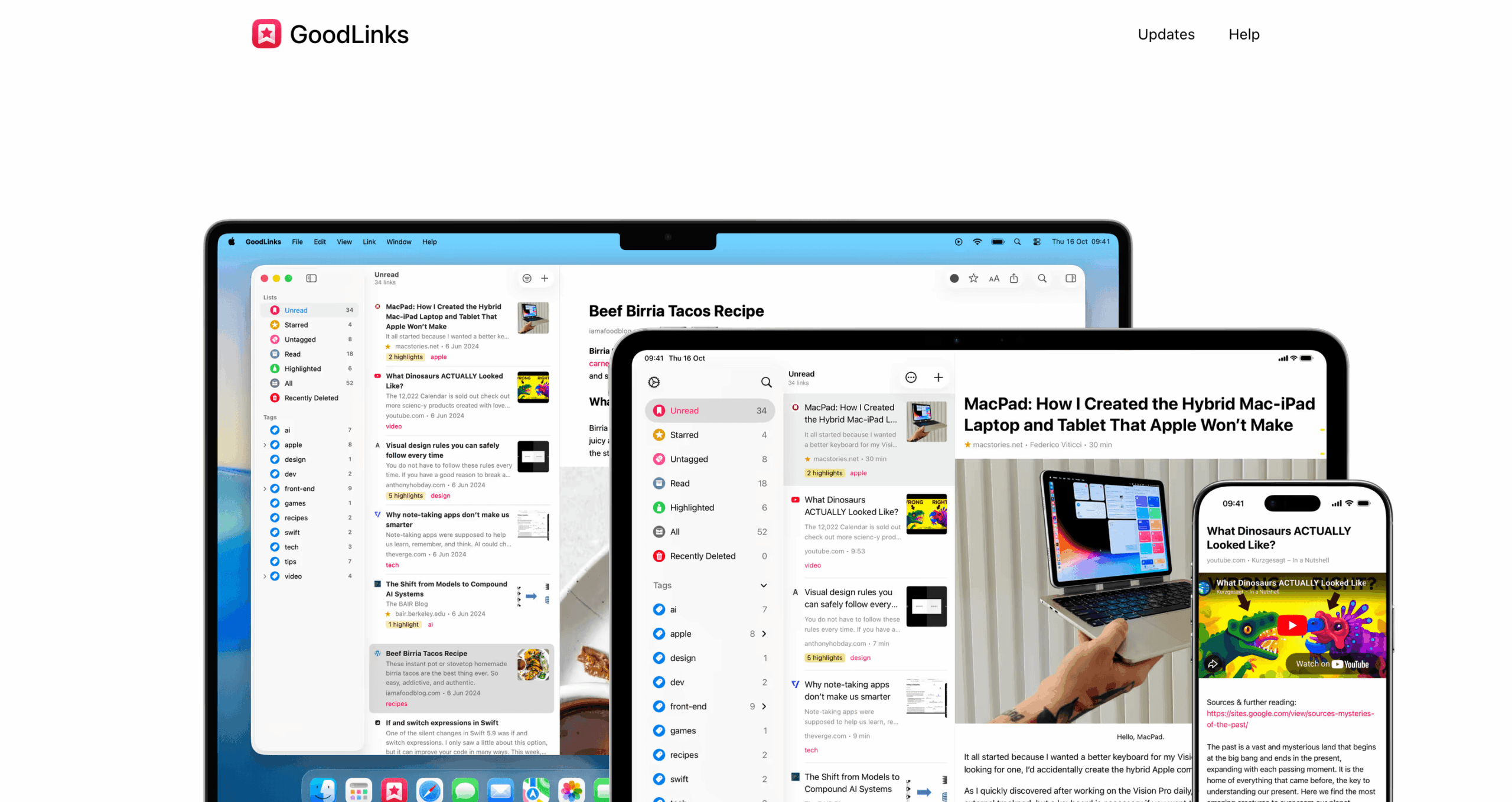
If you’re already in the Apple ecosystem and want something that just works without subscriptions, GoodLinks is worth a look. I haven’t used it as much as Raindrop, but some people I know say it’s really good.
Pricing: One-time purchase of $4.99. iOS and macOS only.
Choosing the Right Bookmark Manager for You
So which one should you pick?
Here’s how I’d think about it:
If you just want something that works, start with Raindrop. Free plan is solid, setup takes five minutes, and the browser extension actually works.
That’s my default recommendation.
If you live in Notion already, use the Web Clipper. Don’t set up a whole new tool if you’re already organized in one place.
If you read a lot of long articles, go with Instapaper.
If you’re on Apple devices only, look at Anybox or GoodLinks. Both are good; it just depends if you want a subscription or a one-time buy.
And if you’re someone who saves everything and searches every day, pay for Raindrop Pro. The full-text search alone is worth it.
Pick one. Start using it. You can always switch later, and that’s fine.
Happy bookmarking!