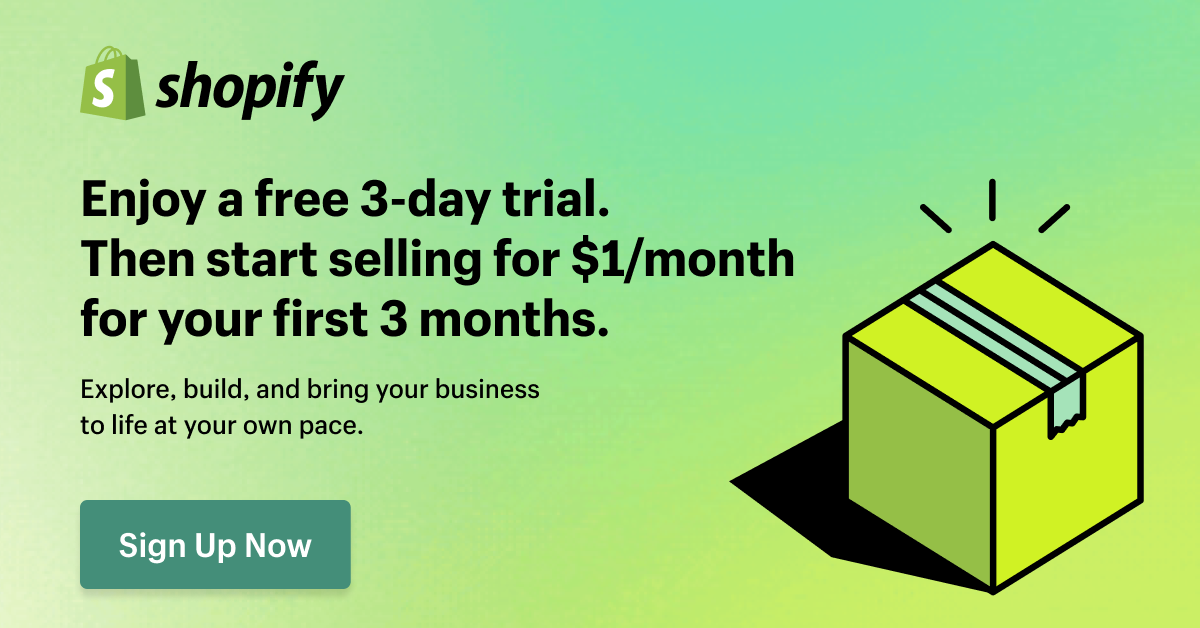
Not a long time ago, I saw that someone on the Shopify Community forum posted that they were supposed to pay $1 for 3 months, and they got charged $60.
And they’re not the only one. There are threads about $39 bills, $105 bills, and even one about a $400+ charge on the Advanced plan.
So yes, the Shopify free trial is real. You get 3 days free, then $1 a month for 3 months.
But the deal itself is the easy part. What people actually get stuck on is everything around it, the apps, the plan switching, the domain, the day the $1 ends.
You might not think about that at first. Maybe because the trial and those first 3 months sound like a really good deal.
So I signed up for the trial myself while writing this, and went through it using Shopify’s own Help Center pages and the real questions people keep asking.
By the end you’ll know what you pay, when you pay it, and how to leave without a surprise bill if Shopify isn’t for you.
Key Takeaways
- It’s 3 days free, then $1 a month for 3 months, then $39 a month on Basic. Pick your plan on day 1, since you’re not charged until the free days end.
- The $1 only covers your plan. Apps, domains, shipping labels and taxes all show up on the same Shopify bill.
- Switching plans doesn’t move the $1 end date, so whatever plan you’re on when it ends is what you’ll pay.
Disclosure: This post has affiliate links. I earn a commission if you buy, at no extra cost to you.
The Shopify free trial in 2026, in plain numbers
If you look at Shopify’s pricing page, what you see is, the free trial is 3 days free with no credit card, followed by $1 a month for your first 3 months on the Basic, Grow, or Advanced plan.
After that, you pay the normal price, which is $39 a month for Basic on monthly billing as I write this in November 2026.
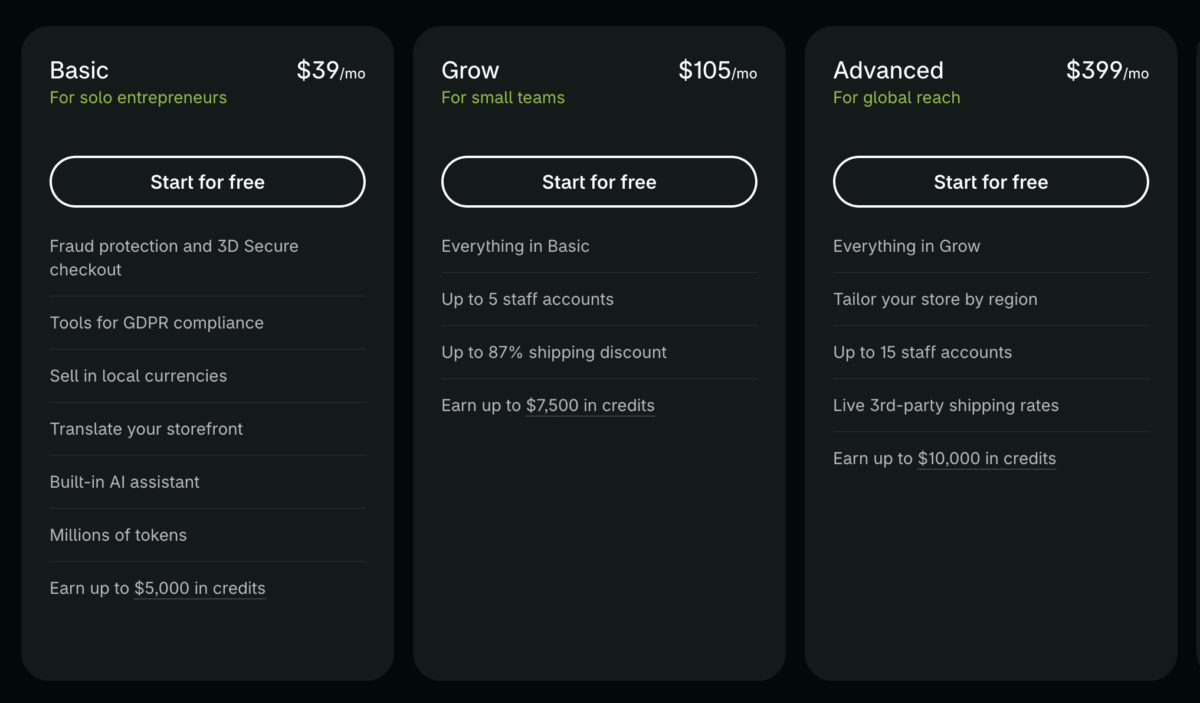
If you sign up today for the trial, here’s what that looks like on a calendar:
| Stage | How long | What you pay |
|---|---|---|
| Free trial | 3 days | $0 |
| Promo billing cycles 1, 2, 3 | About 30 days each | $1 each |
| After the promo (around day 94) | Every 30 days | $39 Basic (or $105 Grow, or $399 Advanced) |
And there are a few things in that table that confuse people a lot, so let me clear them up right away.
“$1 for 3 months” means $1 per month. So it’s $3 total, not $1 total.
Small thing, but during the research for this post, I saw that a lot of community questions start with this misunderstanding.
Also, the free part is only 3 days, and the 3 months after that are paid.
Cheap, yes, and it’s hard to find a full online store setup this cheap at first, but still not free.
You’ll see some creators and publishers call it a “90-day free trial” but that is not what it is at all.
Another thing is, you can’t sell during the free 3 days.
Your store starts locked, kind of in a private mode, and to take real orders you need to pick a plan and set up a payment provider first.
And one more thing that matters later. Shopify bills in 30-day cycles, not calendar months, and you can’t pick the date you get charged.
Plus, the trial clock starts the moment you sign up, not when you start building. So if you sign up “just to look around,” those 3 days are already ticking.
Should you start the Shopify trial today?
It depends on what you already have and are going to sell. From what I’ve seen, people who land on this page usually fall into one of three groups, so find yours.
The first one is, you have a product (or a clear idea) and some way to reach people.
Maybe you have a small Instagram following, an email list, local customers, or an Etsy shop that’s already selling.
→ If that’s you, click here to start the trial, no credit card required for the first 3 days
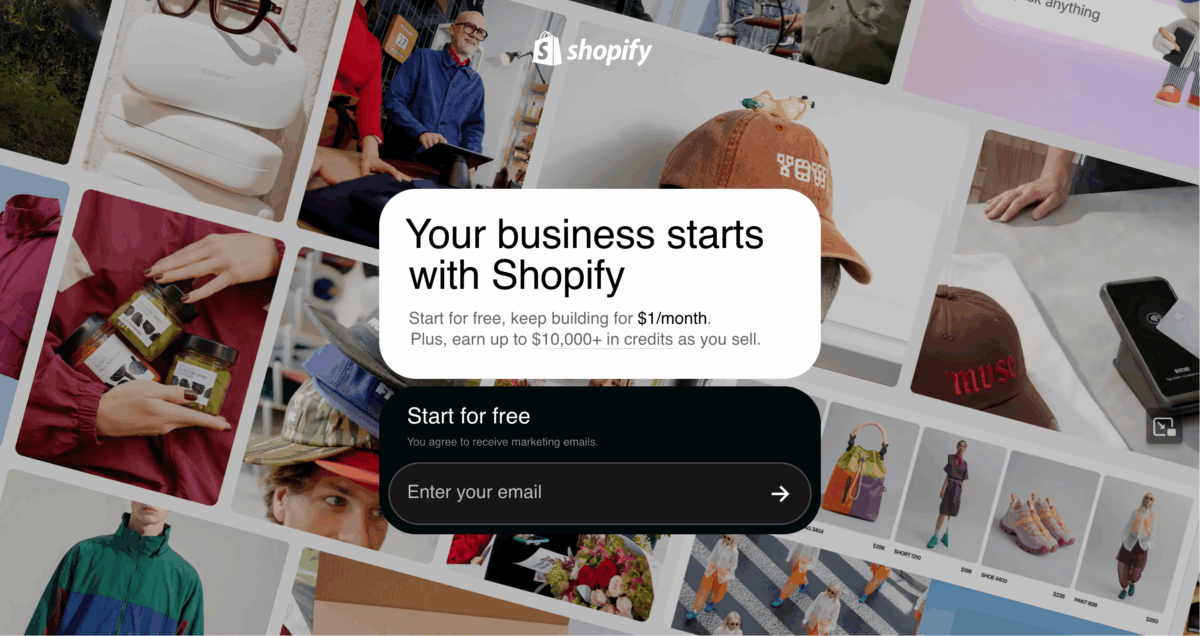
The 3 free days plus $3 gives you about 93 days to build the store and get real orders before you pay full price. That gives you a lot of time for very little money.
The second group is, you have a product but no audience yet.
You can still start, but plan where your first visitors will come from before you sign up. Otherwise the three $1 months go by with an empty store, and you’re paying $39 for a shop nobody has seen.
For a lot of people in this spot, starting on Etsy first makes more sense. I wrote about that in Shopify vs Etsy for beginners.
The third group is the group that doesn’t know what to sell yet.
Don’t start the clock. Seriously, pick your product first and come back. This list of what to sell on Shopify can help you figure it out.
And if you’re still not sure, ask yourself one thing: where will my first 10 customers come from?
If you can answer that, you’re ready. If you can’t, figure that out first, then start the trial.

5 things to get right when you sign up for Shopify
Some choices in Shopify are easy to change later. These five aren’t easy, or they’re annoying to fix, so it’s worth thinking about them before you start.
1. Your business country. You pick this during signup, and it decides your billing currency, which payment options you get, and how taxes are set up and all of the in between. Changing it later usually means contacting support and it’s not a quick fix.
2. Your store currency. According to a Shopify staff answer on community.shopify.com, once you make your first sale, this one locks. So don’t test checkout with a real card until your currency is right.
3. Your domain. You can buy one through Shopify, which is around $17 a year for a .com (these prices might change per domain as well), or connect one you already own at no extra cost.
Thing is, yes, you get a free myshopify.com subdomain for your store, but domains bought (like a .com or .net) through Shopify are an additional cost and keep renewing until you turn off auto-renew, even if you close your store.
4. Your Shopify Payments details. In the US, Shopify asks for your legal name, date of birth, SSN or ITIN, a US address, and a US checking account. Have all of this ready, because missing details are a big reason first payouts get stuck.
5. Your 3-day plan. Since the clock starts at signup, have your product photos, descriptions, prices, store name, and basic policies ready before day zero.
If you’re still stuck on the name, I have a list of Shopify store name ideas.
None of this takes much time. Maybe 30 minutes with a notepad open.
But doing it before you sign up means you’re not rushed into these things while the 3-day clock is ticking.
How to lock in the $1 deal after you sign up
The signup itself takes a couple of minutes. You enter your email, answer a few optional questions (or skip them), pick your country, and that’s it.
No credit card needed to get in. But if you don’t pick a plan (that’s when you add the card) within the 3 days, your store freezes, and the $1 deal isn’t guaranteed if you come back later.
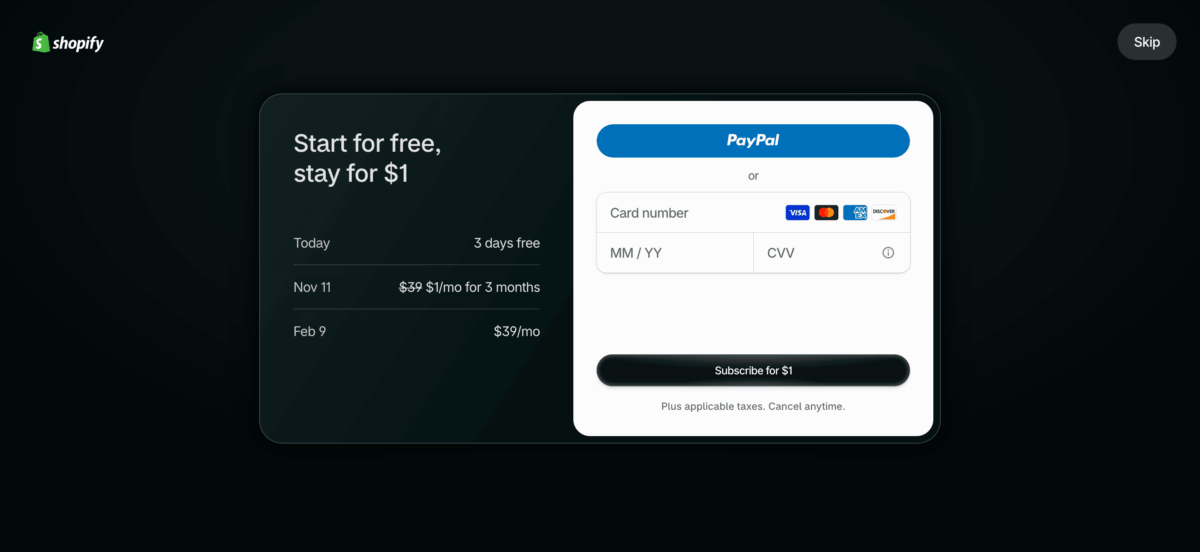
If you want the full store setup after that, I walked through it in how to start a Shopify store.
What actually matters here is what you do right after you’re in.
Pick your plan on day 1
A lot of people wait until the third day to pick a plan, or forget, and then the store gets paused. You don’t need to wait like that if you’re really planning to keep building your store.
Shopify says if you choose a paid plan during the free trial, the charges only start after the trial ends. So picking on day 1 costs you nothing extra.
To pick one, go to Settings, then Plan, and choose Basic or whatever you need from the other two. But before you confirm, look at two things on that screen:
- The $1 price shows on the plan card itself, not just on Shopify’s pricing page.
- Billing is set to monthly. The $1 deal doesn’t work on yearly.
And right after that, write down the date your full price starts.
Once you pick a plan, Settings, then Plan shows the date standard pricing begins. Screenshot it and put a reminder in your calendar 5 days before that date.
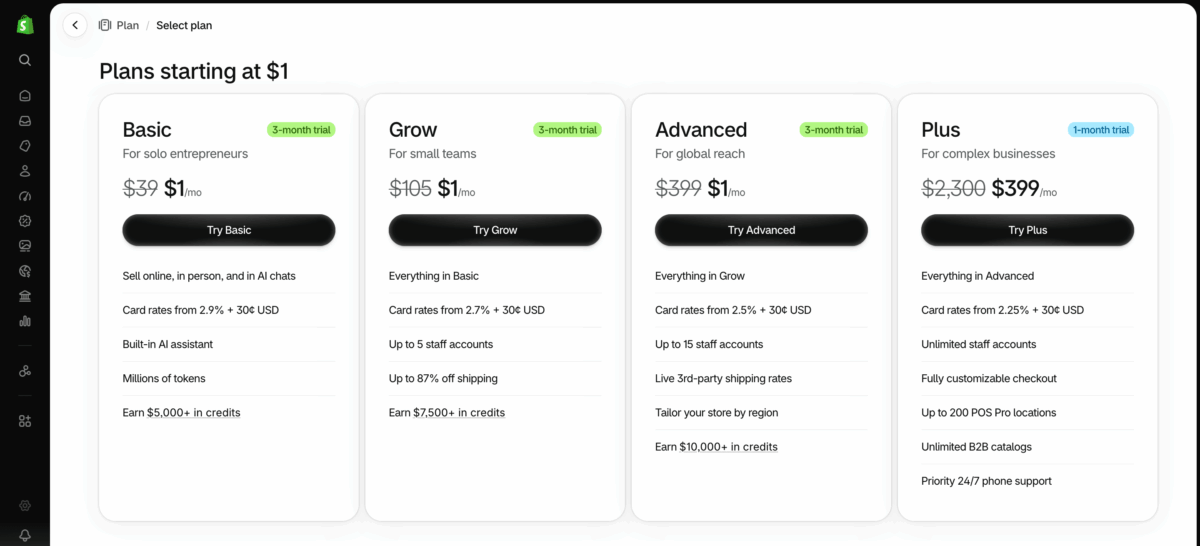
That one reminder is what saves you from most of the “why did Shopify charge me $39” moments. I’ll come back to what to do on that day later in this post.
If you don’t see the $1 offer
It happens. Shopify says trial length and pricing can change depending on your store location and when you sign up. So if the plan screen shows $39 instead of $1, don’t subscribe and hope it fixes itself on the next bill. It won’t.
If that happens, it’s a good idea to reach out to Shopify support before you confirm anything.
And some sites (and yes, some YouTube videos as well) might tell you the $1 deal only works through their special link. That’s not quite true.
It’s Shopify’s public offer, and it’s right there on their pricing page.
What the $1 doesn’t cover in your first 93 days
The $1 covers your Shopify plan but it doesn’t cover apps, your domain, shipping labels, or card fees, and most of those land on the same Shopify bill.
That’s why people think the $1 deal didn’t work when really an app did.
Let me put it this way.
Your Shopify bill is one place for everything.
So if you install a paid app during your free trial (like a product reviews app, an email popup, or a WhatsApp chat button), Shopify says those charges show up on your first invoice after the trial ends.
What I’m saying is your plan is $1/mo for the first 3 months, but the bill isn’t.
Shopify also bills early if your charges go past a set amount (they call it a billing threshold), and your first shipping label is billed on its own.
And based on your location, Shopify may add sales tax to the subscription, so even the $1 can come out a little more than $1, and it really depends on your region.
Everything sits in one bill, so it’s easy to blame the wrong thing.
Here’s a realistic first-93-days (3-day free trial + first 3 months) example for a US store on Basic, monthly billing, using Shopify Payments:
| Cost | Lean start | Typical beginner |
|---|---|---|
| Plan (3 promo cycles) | $3 | $3 |
| .com domain through Shopify | ~$17 for one year (or $0 if you use your own) | ~$17 |
| Theme | $0 (free theme) | $0 |
| Apps (2 paid apps at ~$10 to $20/month, my estimate) | $0 | ~$60 to $120 |
| Shopify Email | $0 | $0 |
| Total before card fees | ~$20 | ~$80 to $140 |
Yes, card fees come on top, and they only hit when you sell. On Basic, online card payments cost 2.9% + 30¢ each. So if you make $1,500 from 30 orders, that’s $52.50 in fees.
And there are a few things that stay free, which helps a lot. Like, free themes are free, Shopify Email gives you 10,000 emails a month and Shopify Tax is free until you reach $100,000 in lifetime sales for stores created after May 13, 2026.
What about the “earn up to $5,000 in credits” thing on the Shopify pricing page?
It’s real, but read it slowly.
You earn 1% back on Shopify Payments (the payment processor) sales during your first 6 months, and credits only start after you pass $1,000 in sales.
So $1,500 in sales gets you about $15 off. To hit the $5,000 cap you’d need $500,000 in sales.
I would say it’s a nice bonus, and it goes up with the higher pricing plans too, but I wouldn’t pick a plan because of it. And if you cancel, you lose whatever credits you earned.
And even when you do earn credits, they aren’t cash. They only go toward your Shopify plan, not your apps or domain.
Also, there’s one more thing. If you use a payment provider other than Shopify Payments (like Authorize.net), Basic adds a 2% fee on every sale.
So for most beginners, I think Shopify Payments is the cheapest way to go.
If you want the full monthly picture after the trial, I went deeper in how much Shopify costs per month, which is something worth reading.
Plan switching rules that can cost you later
You can change plans during the $1 months, but the promo end date doesn’t move. That one rule is behind some of the biggest surprise bills on the forums.
Shopify’s Help Center says it plainly.
If you change plans during the promo, the $1 price carries over for the rest of the original period, the end date doesn’t reset, and after that you pay the new plan’s standard price.
So here’s the picture. You pick Advanced “just to try it” because it’s also $1. You forget about it.
Then month four comes and Advanced bills at $399. That $400+ charge I mentioned at the start? This is usually how it happens.
And during the $1 months, switching back down to Basic happens right away.
But after the promo ends and you’re on full price, a downgrade only happens at the end of your current billing cycle, because Shopify plans are paid ahead of time.
So if you upgraded “just to try it,” switch back before your last $1 cycle ends, not after the $399 bill shows up.
Now, yearly billing. If you switch to yearly during the promo, it starts when the promo ends, and Shopify charges the full year upfront. On Basic that’s $348 in one shot.
The math looks like this:
- Switch to yearly during the promo: $3 + $348 = $351 for about 15 months
- Stay on monthly: $3 + (9 x $39) = $354 for 12 months
So paying yearly is cheaper, if you’re sure. If you’ve made real sales by month 2 or 3 and you know you’re staying, switch to yearly.
If you’re not sure yet, stay monthly. The thing is, Shopify doesn’t guarantee refunds on subscription fees, and they only review requests case by case.
So if you’re asking me, which plan should I go with?
For almost every first store, the Basic plan. Grow and Advanced are built for teams and bigger shipping volume. You can always move up later, and that’s a much nicer problem to have.
Again, everything here comes from Shopify’s Help Center and terms, and they may change their offers, prices and billing rules at any time. So before you make a change, always check Shopify’s Help Center or contact support. Those are what count, not this post.
What happens when the $1 months end
When your third $1 cycle ends, you move to the standard price for whatever plan you’re on. So on Basic monthly, that’s $39 from then on.
To be fair, Shopify’s own pages don’t say it the same way.
One Help Center page says you need to pick a standard plan or your store might be frozen. Another says the price simply changes to the standard rate.
I know, it’s kind of confusing, but it’s more like the same thing, meaning, after the promo period ends, the price changes to the standard rate for the selected plan and billing cycle.
So just plan for the auto-renew and check Settings, then Plan for your exact date.
And if that first full-price bill surprises you, reach out to Shopify Support right away. They only look at refund requests in a short window (7 days for monthly bills). Not a sure thing, but you can ask.
How to cancel the Shopify trial without a surprise bill
Cancelling is not that hard, but first of all, you have to clean up a few things or you’ll keep getting charged.
If you never picked a plan, you don’t have to do anything. Your store just freezes after the trial. You can also hit “Cancel trial” in Settings, then Plan from your Shopify Dashboard.
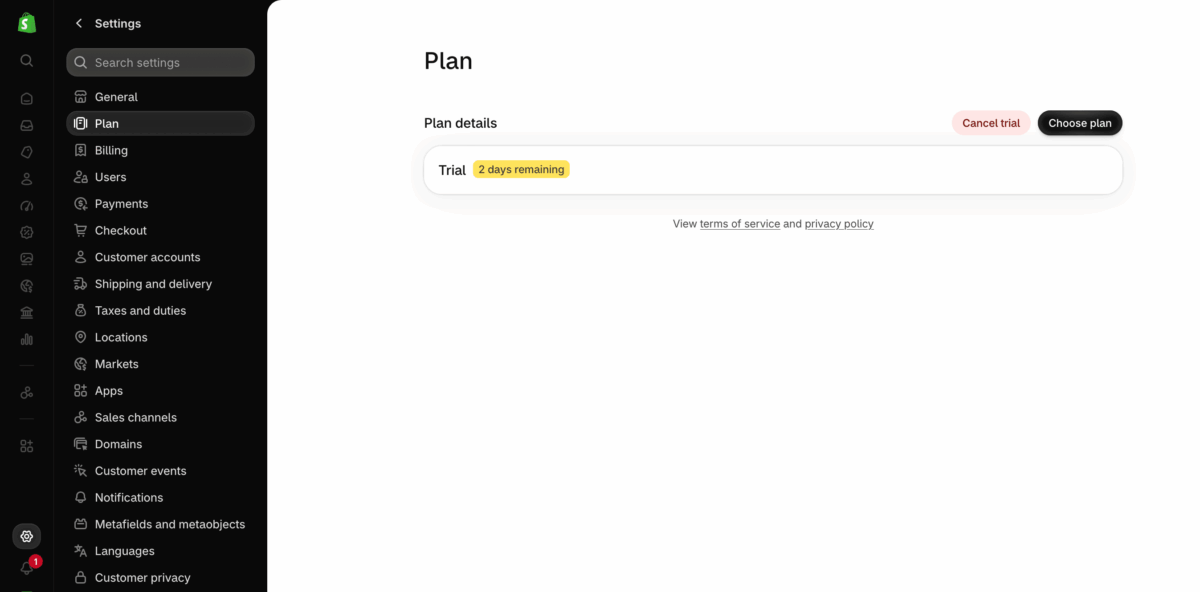
If you did pick a plan, go to Settings, then Plan, then Cancel plan. Your store stays open until the end of your current billing cycle, then it closes.
And there are no refunds for charges during the promo, plus any open balance gets charged when you cancel.
Before you click Cancel plan, go through this:
- Check for apps that bill you outside Shopify. Those don’t stop on their own.
- Turn off auto-renew on your domain, or move it to another registrar. Domain renewals don’t cancel with the store.
- Check for other stores on the same account or card. In a lot of ‘charged after I closed my store’ community posts, the charge actually came from a second trial store the person forgot about.
- Check your final balance.
- Save the confirmation email.
From what I checked, some old guides online still tell you to move to the Pause and Build plan instead of cancelling. Sadly, that plan is not open to new subscriptions anymore.
The good news is you can still deactivate your Shopify store at any time and then Shopify keeps your store’s information for 2 years after you deactivate, so you can come back later without starting over.
And no, you can’t get a longer trial by asking support. Shopify says trials can’t be extended and promo periods can’t be reset.
Longer Shopify trial offers (and the fake ones)
The 3 days plus $1 deal is what most people get, but a few groups can get more time. Yes, you read that right.
Here’s what’s real right now.
Students. Students at more than 500 colleges and universities in the US and Canada can get up to four free months to build, one full semester, and when they’re ready to sell (any time within those four months), they activate the $1/month for 3 months with a Shopify plan.
If you have an active student email address, check if your institution is eligible before anything else.
Stores built through some AI tools. Shopify’s Help Center says stores created through certain AI tool partners (such as the Stripe Projects CLI, or with a vibe code partner) start with a free trial that’s currently 4 months.
It doesn’t say whether the $1 months come after, so check the terms inside your admin if you go this route.
1 Million Black Businesses (1MBB). Through Operation HOPE, eligible Black-owned businesses can try Shopify’s Basic plan for $1 a month for the first 6 months, but only for merchants in the US and Canada.
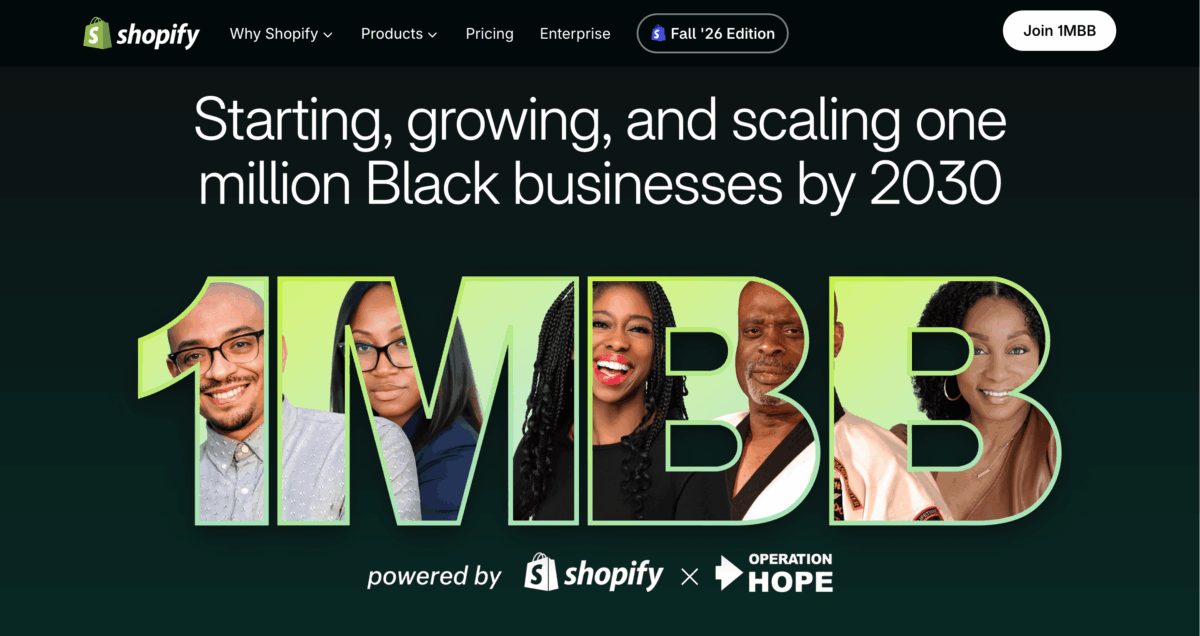
Check shopify 1MBB page for the current eligibility, because it has changed a few times.
Shopify Plus (enterprise) trial. The pricing page shows “Try for $399,” and yes, it’s a paid trial. If you do nothing at the end, Shopify enrolls you in the full Plus plan, and it’s for complex businesses, so not a beginner thing.
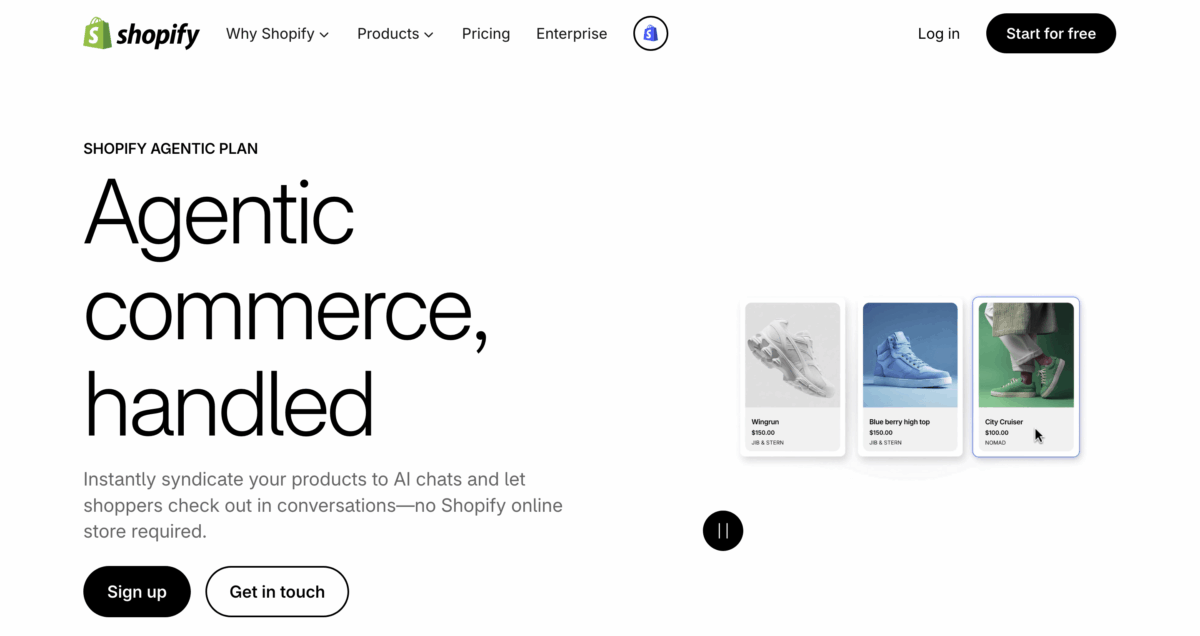
Agentic plan. This one is something new that came around recently in this AI time.
It’s $0 a month and you only pay when your products sell, but it’s just for selling in AI chat channels (like ChatGPT, Gemini and Copilot), not a full online store.
And if you’re hoping to sell through AI right away, don’t count on it. When I checked my own trial store, Shopify Catalog showed “Ineligible.”
That’s because, as their own docs say, a trial store isn’t on a paid plan yet and it’s still password-protected, and Shopify needs both sorted before your products can show up in AI chats.
You can use the Agentic plan without paying for a Shopify plan, and you can even build a store on it. You just can’t open that store to customers until you move to a paid plan.
Now the fake ones.
The 14-day, 30-day, and 90-day free trials are gone. If you spot something like this, check what the official Shopify page says, so you don’t end up expecting 90 days but really getting only 3 days.
What I’d do next
If I were starting today, I’d do it in this order.
Get the five decisions sorted first, the country, currency, domain, payment details, and the stuff for your first products.
Then start the trial and pick Basic plan on monthly billing on day 1, so nothing gets paused.
Then put that day-94 reminder on the calendar before you forget, because you will forget.
After that it’s just building.
Frequently Asked Questions
- How long does the Shopify free trial last?
- The free part is only 3 days, and it starts the moment you sign up. After that, you get 3 billing cycles at $1 a month on Basic, Grow, or Advanced. So it’s about 93 days total before the standard price kicks in.
- Is Shopify free to use?
- Not really. You get 3 days free, then $1 a month for 3 months, then the normal price, which is $39 a month for Basic on monthly billing. Shopify also has a $0 Agentic plan, but that’s mainly for selling in AI chats, not running a full store.
- Do I need a credit card for the Shopify free trial?
- No, you can start with just your email. You add a card when you pick a plan, and if you do that during the 3 free days, Shopify doesn’t charge you until the trial ends. Picking early also locks in the $1 months.
- Can you sell during the Shopify free trial?
- Not during the 3 free days. Your store starts password-protected and checkout stays locked. Once you pick a plan and set up a payment provider like Shopify Payments, you can take real orders, even while you’re still paying $1 a month.
- How do I cancel my Shopify free trial?
- If you never picked a plan, you don’t need to do anything, your store just freezes. If you did, go to Settings, then Plan, then Cancel plan. Turn off domain auto-renew first, because domain renewals don’t stop when you cancel your store.
- Can I get the Shopify $1 deal again with a new store?
- Don’t count on it. Shopify says it doesn’t extend or reset free trials or promotional pricing, and the offer depends on when you create your account. If you’re not ready to build yet, it’s better to wait than to burn your one trial.