I paid for Grammarly Premium for almost a year. And most of that time, I was using maybe 20% of what I was paying for.
The grammar checker was fine.
The tone suggestions, the plagiarism tool, the goals feature… I barely touched them.
I was basically paying $12 a month to fix commas.
So I started testing Grammarly alternatives to see if any of them were actually worth switching to.
Some are genuinely better, a few are free, and one is now the tool I use for almost every blog post.
Here’s what I found, and what I’d actually recommend depending on how you write.
Here's What I Found
Disclosure: This post has affiliate links. I earn a commission if you buy, at no extra cost to you.
1. QuillBot
Best for: bloggers and students who need a free grammar checker and paraphrasing tool in one place.

I use QuillBot more than any other tool on this list. Not just for grammar, but mainly for rewriting sentences that make no sense when I read them back.
On top of that, their paraphrasing feature is another one you can use. You paste in a sentence, pick a mode (Standard, Fluency, Formal, Creative, and a few others), and it gives you a rewritten version.
Sometimes the first output is perfect. Sometimes it takes two tries. But it’s faster than staring at a sentence trying to fix it yourself.
The free plan covers grammar checking and basic paraphrasing, and you’re limited to 125 words at a time for paraphrasing, which is kind of annoying, but the paid plan removes the limit and unlocks more modes.
Key features:
- Grammar and spelling checker
- Paraphrasing tool with multiple tone modes
- Summarizer tool
- Chrome and Word extensions
- Plagiarism checker (paid only)
Pricing: Free plan available. Paid starts at around $4.17/month (billed annually).
2. LanguageTool
Best for: anyone who wants a solid free Grammarly alternative, especially if you write in more than one language.

LanguageTool was the first one I switched to after canceling Grammarly. The free version lets you check up to 2000 characters at a time with no account required.
That’s not as generous as Grammarly’s free tier, but what I noticed using it on my drafts is that it catches style issues the free Grammarly plan misses entirely.
Things like repeating phrases, overused words, and incorrect word combinations. The suggestions are clear, though.
If you also write in languages other than English, this is probably your best bet. It supports over 30 languages, which Grammarly doesn’t come close to matching.
The one thing that made me stop using that is the character limits per text field. It does the job well, I know, but when we open a long text, it’s annoying since the free plan only supports 2,000 characters.
Key features:
- Grammar, spelling, and style checker
- Supports 30+ languages
- 2000 character limit on free plan
- Browser extensions and desktop apps
- Self-hosted option for privacy-focused users
Pricing: The free plan is genuinely useful for small work. Premium starts at $4.99/month.
3. ProWritingAid
Best for: content writers and bloggers who want deep feedback on writing quality, not just grammar.

ProWritingAid is the closest thing to a real writing coach on this list. The reason I’m saying that is that it doesn’t just check for errors. It analyzes your writing across 25+ writing reports, things like style improvements, overused words, transition use, and even how you’ve balanced different sensory details.
I ran a few of my old newsletters through it. The report flagged that I repeat certain transition words way too often, which I had no idea about. Small thing, but the kind of thing an editor would catch.
The free plan gives you a taste, but the paid plan is where things happen in depth. At around $10/month. And yes, it’s clearly more expensive than the others on this list.
But if writing is your passion, and if you write long-form content regularly, this might be the best alternative to Grammarly you need. Maybe not if you just need a quick grammar check.
Key features:
- 20+ writing reports (style, pacing, repetition, readability, and more)
- Grammar and spelling checker
- Integrates with Word, Google Docs, Scrivener, and a browser
- In-app writing quizzes and lessons
- Plagiarism checker included in paid plan
Pricing: Free trial available. Paid starts at $10/month (or cheaper billed yearly).
4. Hemingway Editor
Best for: anyone whose writing tends to run long, complex, or hard to read.

Hemingway is not just a grammar checker. Don’t use it for that. It’s specifically for readability, and that’s what I saw when I first landed on their website.
You paste your text in, and it highlights sentences that are too long, adverbs you should cut, passive voice uses, and phrases with simpler alternatives. It grades your writing by reading level.
The goal is to get your score to Grade 9 or lower, meaning the lower the grade level, the more people who can understand your message.
For my content, this is actually useful. You know those sentences that make total sense in your head but confuse everyone else? Hemingway makes those visible immediately.
The web version is free. There’s a desktop app for $19.99 one-time if you want to use it offline or without pasting. The thing is, sure, it tells you if your grammar is correct or not, but this is a tool you can use when you’re already past that.
So Hemingway pairs well with LanguageTool or Grammarly: one fixes errors, and the other fixes complexity.
Key features:
- Readability scoring
- Highlights long or complex sentences
- Flags passive voice and adverbs
- Color-coded suggestions (easy to scan)
- Free web version, one-time paid desktop app
Pricing: The web version is free just for readability, but grammar fixing is not part of it. The desktop app is $19.99 one-time, and you get more features, including the grammar checker.
5. Wordtune
Best for: writers who want AI rewriting suggestions that feel natural, not robotic.
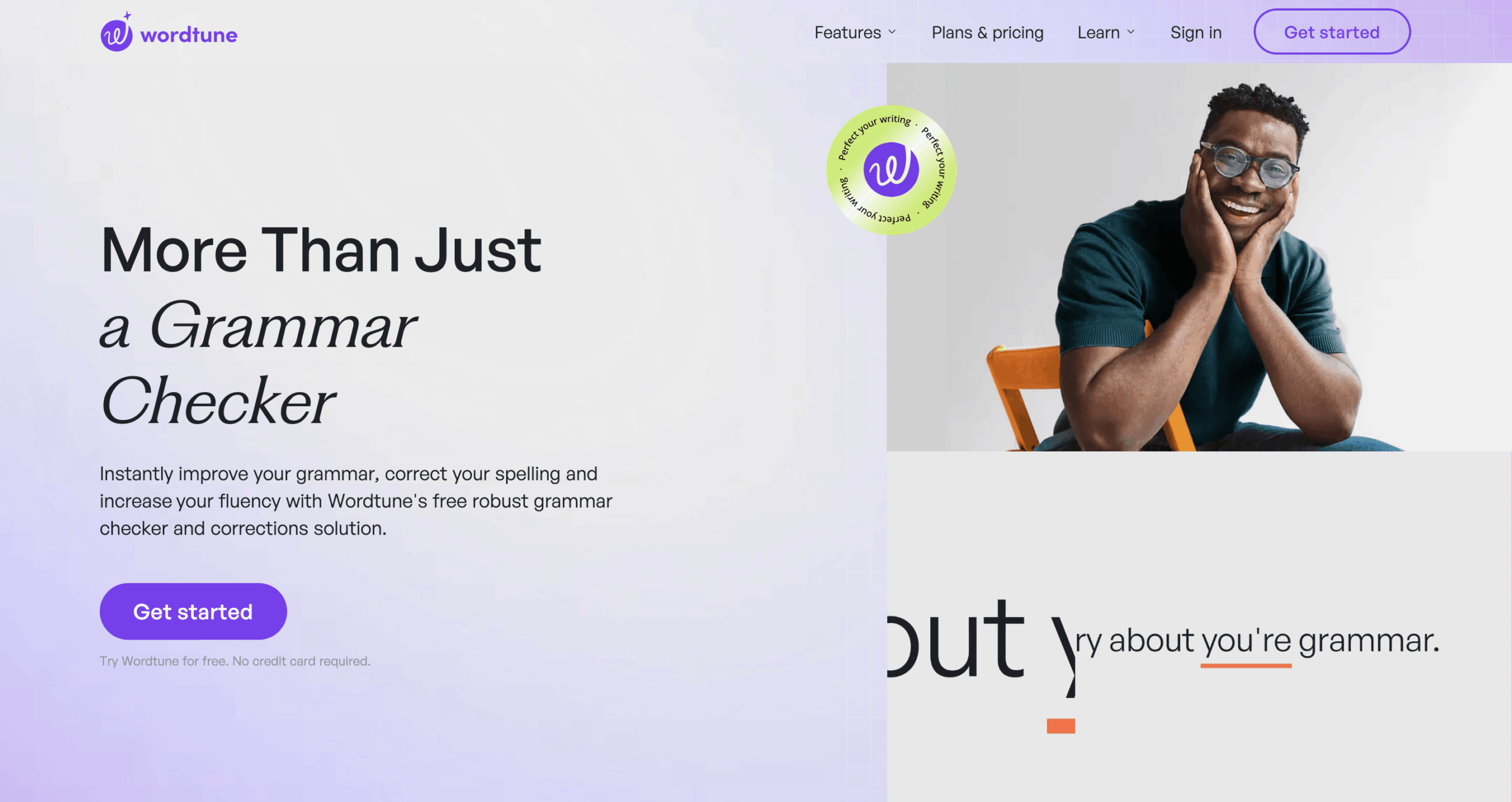
Wordtune sits somewhere between a grammar checker and an AI writing assistant, and the core feature is mostly rewriting. You highlight a sentence, and it gives you several alternatives, some shorter, some more formal, some more casual.
I tried it on a few paragraphs I wrote badly on purpose. The suggestions were actually better than I expected. They didn’t sound like AI output, and they felt more like what a good editor would suggest.
The free plan is limited to 10 rewrites per day and unlimited grammar checks, which is more than enough for regular use.
On the other hand, if writing is something you do every day, you probably need the $9.99 paid plan, which unlocks unlimited rewrites and adds a lot more AI features.
It’s not the deepest tool here. But if you’re someone who needs rewriting other than just grammar checking, Wordtune is fast and surprisingly good at unblocking that.
Key features:
- AI-powered sentence rewriting
- Casual, formal, shorter, and longer tone options
- Works inside Google Docs and on the web
- AI drafting assistant (paid)
- Grammar and spell check included
Pricing: Free plan includes unlimited grammar checks and 10 rewrites/day. Paid starts at around $9.99/month.
6. Ginger
Best for: non-native English speakers who want grammar correction with rephrasing suggestions.

Ginger has been around for maybe 10 years now, and the tool has improved a lot. It checks grammar, spelling, and punctuation, and it also offers sentence rephrasing, which makes it more useful than a basic spell checker.
For non-native speakers like me, the part that actually matters is how it reads in context, not just grammar rules. And I used to use this even on my iPhone most of the time back then.
It doesn’t just tell you something’s wrong. It gives you a fix that works with the rest of the sentence. That’s helpful when English isn’t your first language and the mistake isn’t easy to see.
The free plan is pretty limited, but still useful. You get basic grammar checking and not much else. The premium plan at $3.99/month is affordable if you find the rephrasing helpful.
Key features:
- Grammar, spelling, and punctuation checking
- Sentence rephrasing
- Contextual error correction
- MS Word and Chrome integration
- Personal trainer feature to track common mistakes
Pricing: Free plan available. Premium starts at $3.99/month.
Which One Should You Pick?
If you just want the short answer: Start with LanguageTool free. It covers grammar, style, and spelling with no account needed.
That’s enough for most people.
If you also need to rephrase sentences or paraphrase content, use QuillBot free alongside it.
The two together handle about 90% of what Grammarly does, for free.
If you write long-form content every day and want deeper feedback on your writing quality, try ProWritingAid. It’s the most useful tool on this list for serious writers, just, yes, more expensive.
And if your writing gets heavy or hard to read, run your drafts through Hemingway Editor before you publish.
It’s free, it’s fast, and surprisingly good.