
A lot of small business owners still think video needs expensive cameras, a studio, and an editor you have to pay every month.
Well, they’re not that wrong. That used to be true but not anymore.
AI video tools have gotten good enough that you can take a blog post, a product page, or even just an idea and turn it into a full finished video in under an hour.
But I know, not every tool is built for the same job.
Each one has different workflows, different price points, and a different kind of user in mind, and picking the wrong one mostly just wastes your time.
So here are 7 of the best AI video makers for small business marketing right now. What each one does, who it fits, and what it actually costs in 2026.
Disclosure: ngram is a sponsored placement and some links in this post are affiliate links. I still researched all 7 independently before writing about them.
1. ngram, Best for Turning Your Existing Content Into Marketing Videos
ngram starts with what you already have. What it simply means is that most AI video tools start with a blank prompt and expect you to figure out what to say. With ngram, you don’t have to start from scratch.
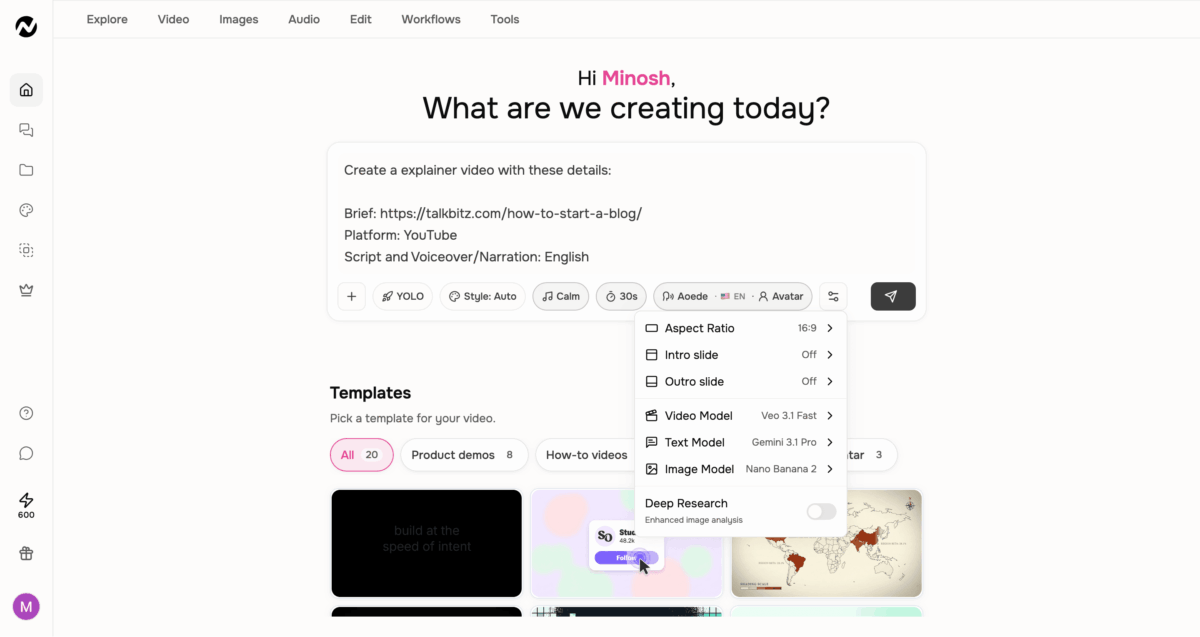
It could be a blog post, a PDF, a product page URL, or even a screenshot, and ngram builds a script and a storyboard first, before it renders the final video. That part is what makes it different from most tools.
So I gave it a try myself, and the workflow goes like this: you put in what you’ve got, describe your goal and who you’re making the video for, then pick a visual style, music style, length, and finally a mode for how the video should be generated.
And the best part is you can even pick a narrator and avatar, and if you’re too shy to be on camera, you can even create your own. Yes, that’s a real thing.
Then, ngram’s AI models (Google Veo, Kling, Seedance, and a lot more there) turn that into a script and storyboard. You look it over, adjust if needed with the editor, or click on any frame to add a change.
From there, you export in whatever format fits your channel, or directly publish from there to YouTube, X, or LinkedIn, and use their MCP Server to create videos from Claude or ChatGPT, which I didn’t expect to see on this platform anyway.
Pricing: There’s a free plan with 600 one-time credits. Paid plans start at $29/month, or $23.20/month billed annually. A 30-second video I made used 390 credits, though usage varies depending on the model and workflow.
2. InVideo AI, Best for High-Volume Social Media Videos
InVideo is not just a video maker. It’s more like an AI agent that does the full production for you. Over 25 million users across 190 countries have used it, which tells you it’s not a complicated tool to get started with.
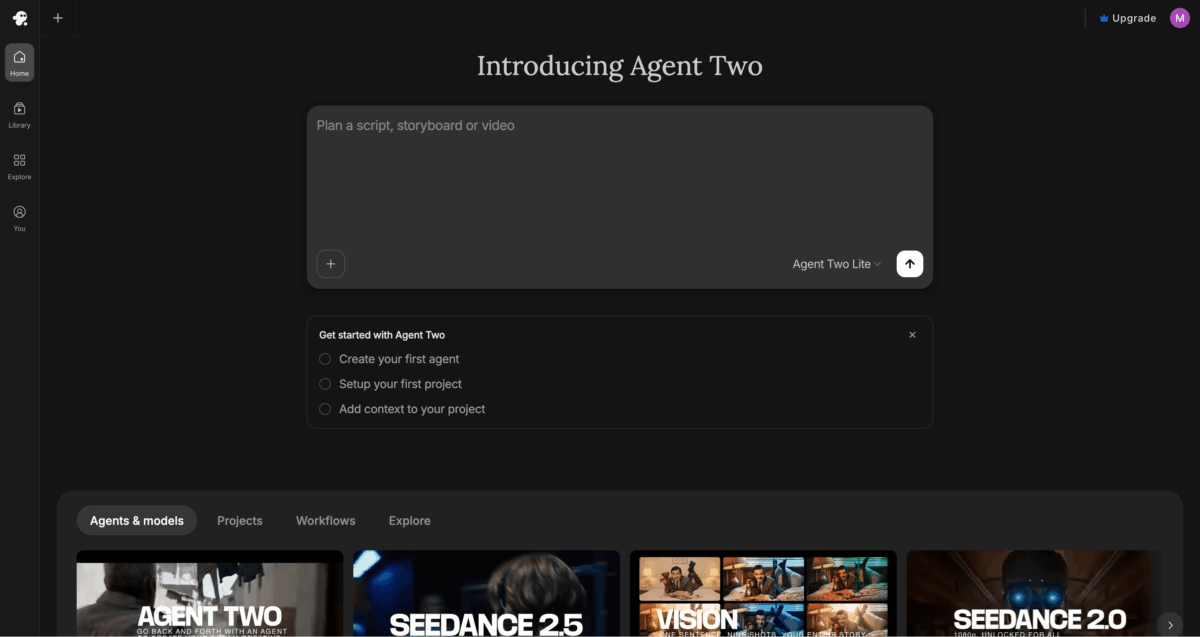
You give it a prompt, describe the topic, tone, audience, and length, and it writes the script, creates or finds the visuals, adds a voiceover, adds music, and puts everything together with transitions.
Their Agent One recently ranked #1 in an independent benchmark for multi-scene video quality, which tells you the underlying technology is serious, not just the marketing. So yes, the way it works is prompt-based.
The bigger part is that InVideo gives you access to top AI video generation models, Veo, Kling, and Seedance, and even ElevenLabs music, all from one place. That means you’re not subscribing to each separately.
It also has a mobile app for both iOS and Android, along with an MCP server, so if you’re already using Claude or similar tools, you can generate videos without leaving your usual workflow.
Even though that is so useful, the output can feel generic if you don’t put real thought into the prompt and the context. So that’s likely on the user, not the tool, but it’s still worth knowing before you use it.
Pricing: Paid plans start from $17/month (annual) with 75 credits. That’s kind of tight. The next plan starts at $85/month and only gives you 390 credits, which is where most small businesses will land.
3. Pictory, Best for Repurposing Blog Posts and Long-Form Content
Pictory does one thing really well. It takes content you already wrote and turns it into video. Blog posts, scripts, PDFs, Zoom recordings, URLs, and even audio files, and over 20,000 companies use it.
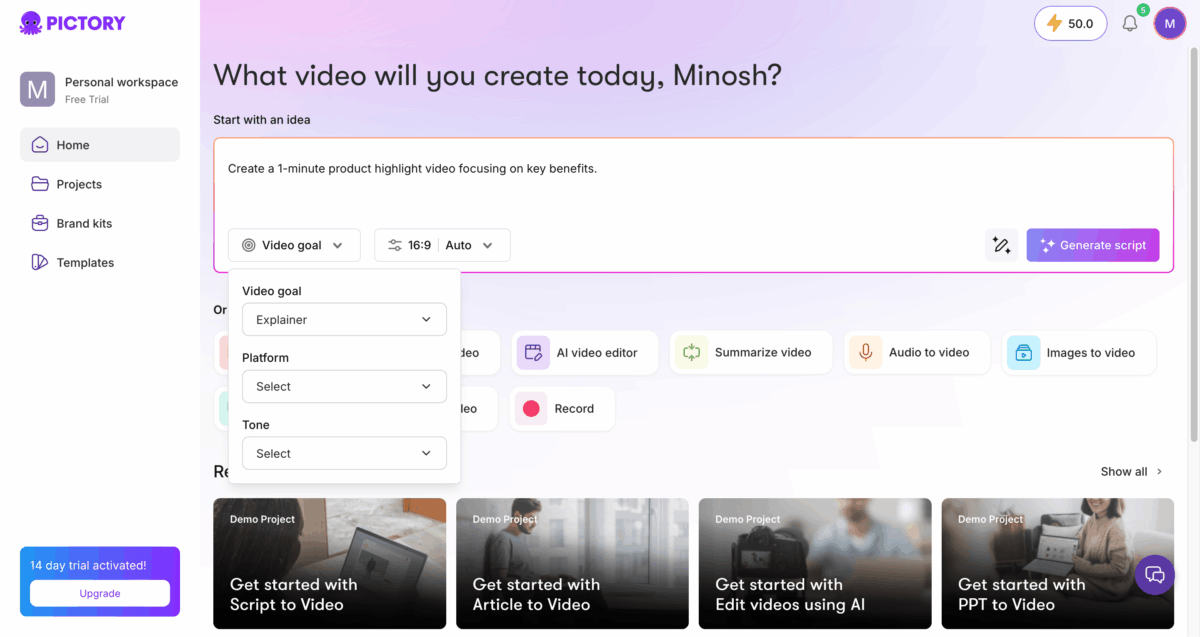
What you have to do mostly is write the prompt with content sources, then the AI picks matching stock footage from Getty and Storyblocks or generates visuals using AI Studio, adds a voiceover, and builds you a video.
What makes it stand out from similar tools is a feature called text-based editing. It starts the creation by first generating the transcript, so you have the time to change what you want. Then it asks you where to source visuals, AI or stock media, the narration type, and also shows how many credits it’s going to use.
There’s also a Record feature where you record yourself or your screen and edit it using text, including removing filler words and silences automatically.
So if you’ve never been comfortable with timeline-based editing, this is a much easier way, and it feels less like video editing and more like editing a document.
Pricing: 14-day free trial (50 AI credits), Starter $25/month annually, and you’ll get 2,400 minutes/yr with 5 million videos from Getty Images and Storyblocks. If you’re going to try it, really use those 14 days.
4. HeyGen, Best for Avatar Videos Without Going On Camera
HeyGen is for small business owners who want to make videos but don’t want to get in front of a camera. It has over 500 stock AI avatars, and you can create your own digital twin from a 2 minutes of video recording.
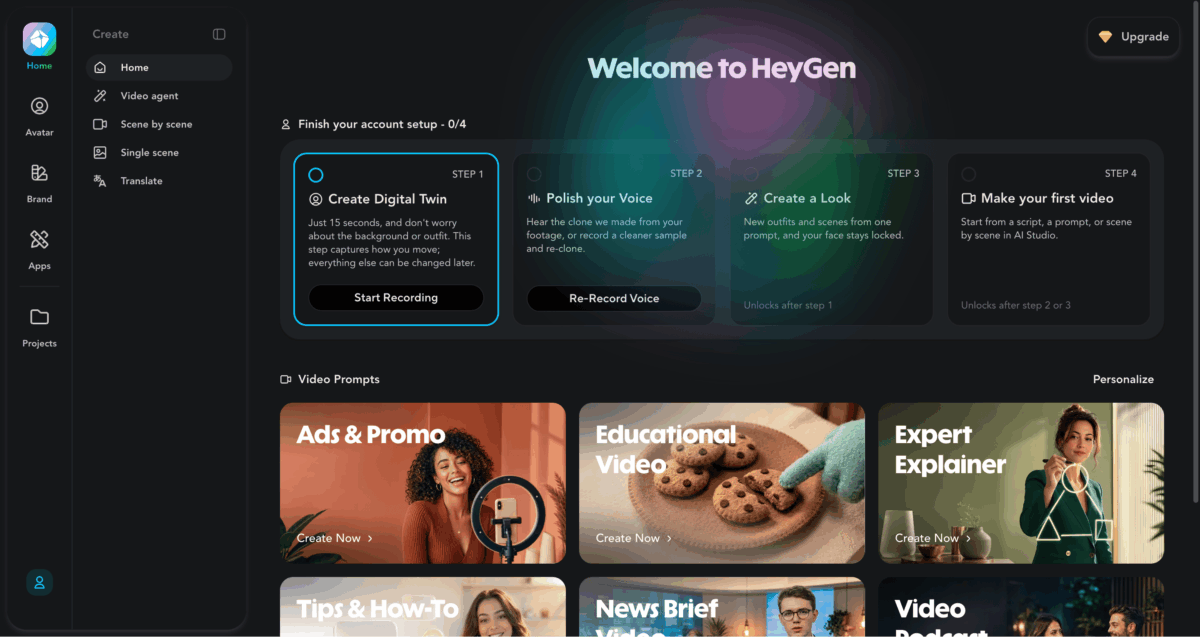
You can write a script, pick an avatar, and the tool creates a talking-head video that looks like a real person presenting on screen. It’s good enough for product explainers, welcome videos, onboarding clips, and social content when you really need a face on screen.
The feature that really makes HeyGen different from the rest is video translation with lip-sync in 175 languages and dialects. You record or generate a video once, and the tool can localize it into different languages, with the avatar’s mouth movements matching the new audio.
For small businesses that sell internationally, like a Shopify store, or even just want to test a Spanish-speaking audience on social media, this platform does what most tools can’t do this well.
Pricing: Free (3 videos per month, watermarked, 720p, 30+ languages), and the max duration per video is just 1 minute, but you can still create avatars and voice clones of yourself. Creator $24/month on annual billing, and it’s credits-based.
5. Synthesia, Best for Training and Internal Business Videos
Synthesia is what a lot of big companies use when they need to make internal videos at scale, and over 50,000 companies are using it now. It’s more about onboarding, training, HR updates, and product knowledge for support teams.
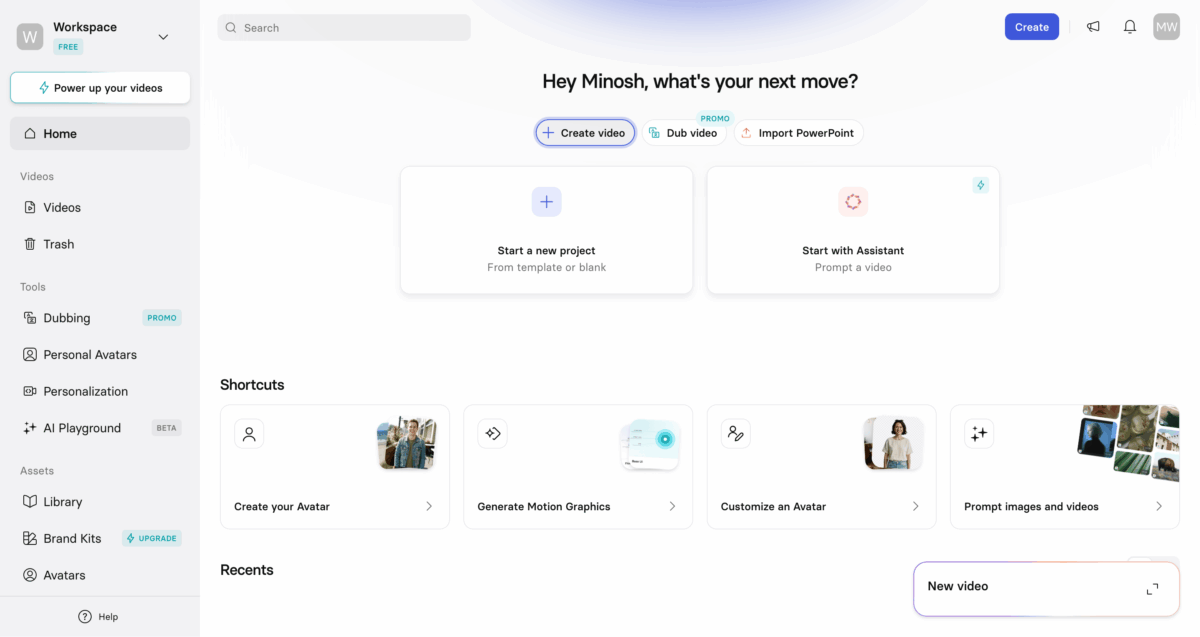
You get hundreds of stock avatars, 160+ languages, and the option to create your own AI twin with voice cloning. It also has 1-click translation into 80+ languages, which makes it easier to create videos in different languages.
There’s also SCORM export, which means videos can plug directly into learning management systems. So if you’re running a team and need to create training content without recording yourself every time something changes, Synthesia handles that well without a lot of setup.
It may not work as well for every small business owner because a few useful features are locked behind the Enterprise plan, and if you want a custom professional avatar (Studio Avatar), it costs extra on top of your subscription.
Pricing: The free plan comes with 10 minutes of video/month along with some limited features. The Starter plan works if it’s just you and is $18/month annually, and then the Creator plan is $64/month annually.
6. Lumen5, Best for Bloggers Turning Articles Into Social Videos
Lumen5 has been around since 2017 and serves millions of companies. Its main thing is simple to explain, content repurposing. You just paste a blog post URL, PDFs, or any other source you have, and it analyzes it, pulls out the key points, and then creates the video.
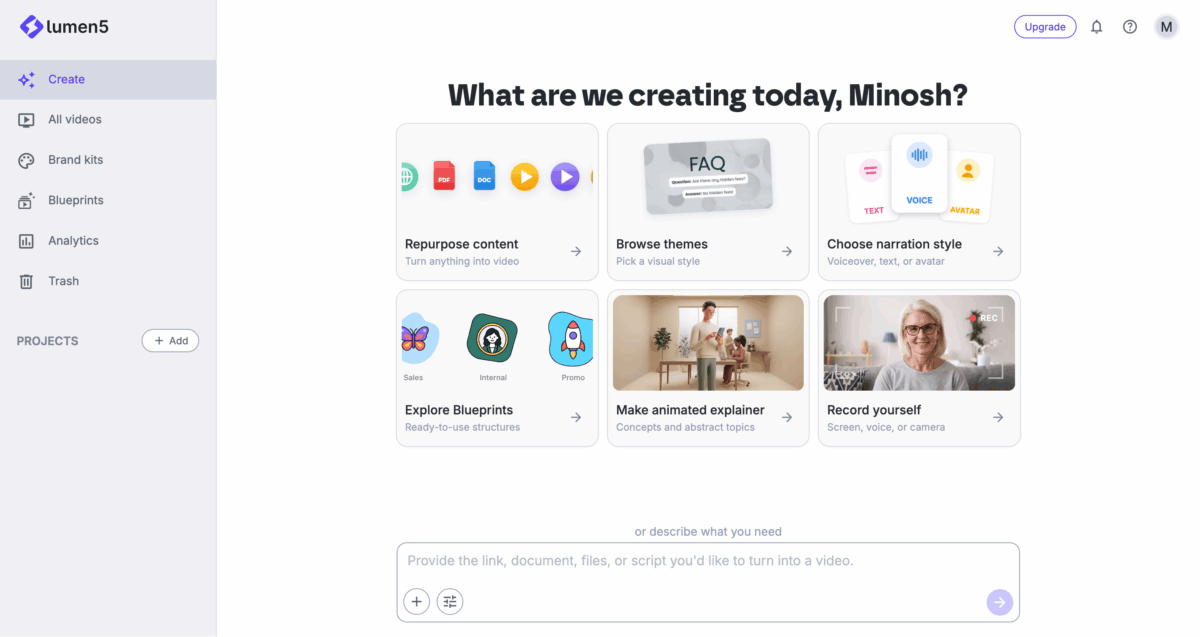
I played with it a bit, and the first try was ready in under two minutes with matching media and voice, which is fast. And they have a new thing called Animated Explainers, and it simply takes any source and turns it into a nice animated-style video.
You can also start with a template, add a voiceover or AI-generated voice, drop in your brand colors and logo on the higher plans, and export. It’s one of the easiest ways to get an existing article turned into a LinkedIn or Facebook video without spending a full day on it.
The only thing that was bothering me is it can’t let you freely do much around the screen the way you can in a proper editor. The media matching isn’t always right, so you’ll have to swap clips yourself more often than you’d like.
Pricing: There’s a free plan (5 videos per month, 2-minute-long videos, watermarked, 720p). The paid plans start at $19/month annually, and there’s a 10-minute cap on video length across all plans, which is fine for social content.
7. VEED, Best All-in-One Editor for Beginners
VEED is one of the most reviewed tools on this list by a wide margin. At the time I’m writing this post, it has nearly 2,000 reviews on G2 with a 4.6 rating, and about 88% of those reviews come from small businesses.
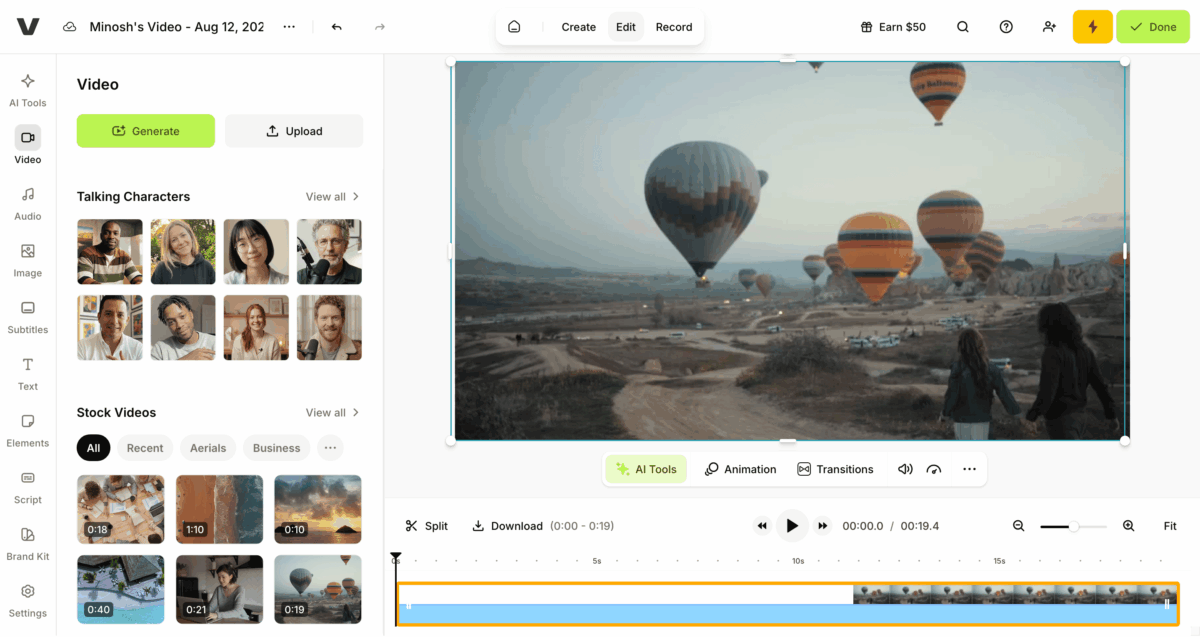
It’s browser-based video editor, nothing to download or install. You upload a video (or record directly in the browser using your webcam or screen), and from there you can add auto-generated subtitles in 125+ languages, fix eye contact if you were looking slightly off-screen while recording, and export.
It also comes with a teleprompter, screen recording, stock footage, auto subtitles, AI avatars, voice cloning, text-to-video, AI background expand, background removal, and a ton of AI tools if you want to use them.
What makes it the best starting point for beginners is that everything is in one place, the editing, the subtitles, the audio cleanup, without needing to learn different tools for different jobs.
Pricing: It has a free plan with 10 minutes of export time, 720p quality, and includes a watermark. Paid plans start at $10/month (annual), which removes the watermark and gives you unlimited auto subtitles and 15+ AI tools.
The Full Picture: All 7 AI Video Makers, Side by Side
If you want to see which AI video maker would be the best fit for your small business before making a decision, here’s how they line up.
| Tool | Best for | Starting price | Free plan |
|---|---|---|---|
| ngram | Branded marketing videos from existing content | $23.20/mo (annual) | Yes, 600 credits, no card |
| InVideo AI | High-volume social video | ~$17/mo (annual) | Yes, watermarked |
| Pictory | Blog and content repurposing | $25/mo (annual) | 14-day trial |
| HeyGen | Avatar videos, multilingual marketing | $24/mo (annual) | Yes, 3 videos/month |
| Synthesia | Training, onboarding, internal comms | $18/mo (annual) | Yes, basic plan |
| Lumen5 | Blog-to-video for content marketers | $19/mo (annual) | Yes, 5 videos/month watermarked |
| VEED | All-in-one beginner editor | ~$9-19/mo (annual) | Yes, watermarked |
The prices shown here are based on annual billing. If you decide to pay month to month, most tools will cost more, so it’s a good idea to check their pricing page for the exact price before you sign up.
Which One Is Right for You?
If you already have content like blog posts, product pages, or slide decks, I’d start with ngram or Pictory. Both are made with small businesses in mind and are good options to start with.
If you need a lot of short-form video for TikTok, Reels, or YouTube Shorts and speed is the priority, InVideo AI fits that workflow best.
If you don’t want to be on camera but still want a face on your marketing videos, HeyGen is the clearest choice here. The avatar quality is good enough.
If you’re running a team and need onboarding or training content that works in multiple languages or inside a learning platform, Synthesia is built for that specific situation.
If you’re a blogger who wants to do more with your existing blog posts by turning them into LinkedIn or social videos with very little setup, Lumen5 is probably the simplest place to start.
And if you want one tool for editing, subtitles, and some basic AI features without installing software or learning a timeline editor, start with VEED.